Claude AI training - Anthropic

Claude AI training: learn AI with the tool from Anthropic

The prompting method first, then the Claude path, then the automations that run without you. Online, at your own pace.

9.4 / 10 from 497 reviews
78 lessons, 8 of them on Claude
7h 52min of reading and exercises
claude.ai - a project, open
A Claude project open, showing instructions, memory, context and scheduled tasks

What you learn to drive

Claude, screen by screen

Three things almost nobody uses, and they are what separates a chat window from a working tool.

A Claude project open, showing instructions, memory, context and scheduled tasks
  • InstructionsThe behaviour Claude keeps from one conversation to the next: your tone, your no-go areas, what it must always ask before answering.Lesson 2: you write them during the lesson, on your own account.
  • MemoryWhat it has retained about you over time. The lesson shows how to read it, correct it, and switch it off when it has no business being there.Lesson 2: memory, and the day you are better off clearing it.
  • ContextYour PDFs and reference documents, dropped in once. This is what lets you work across sixty pages without pasting them back into every question.Lesson 4: producing a document and a polished synthesis.
  • ScheduledA recurring task attached to the project. The Friday summary runs with the file already in hand, not from nothing.Lesson 1: choosing the right door for the job.
  • Chat or CoworkTwo ways of working: the conversation, or the space where Claude builds next to you. The lesson says which to pick for what you have to deliver.Lesson 3: artifacts, what Claude produces on screen.

On the way out

What you will be able to produce with Claude

Not knowledge about AI. Things you hand to someone.

01

A synthesis of sixty pages

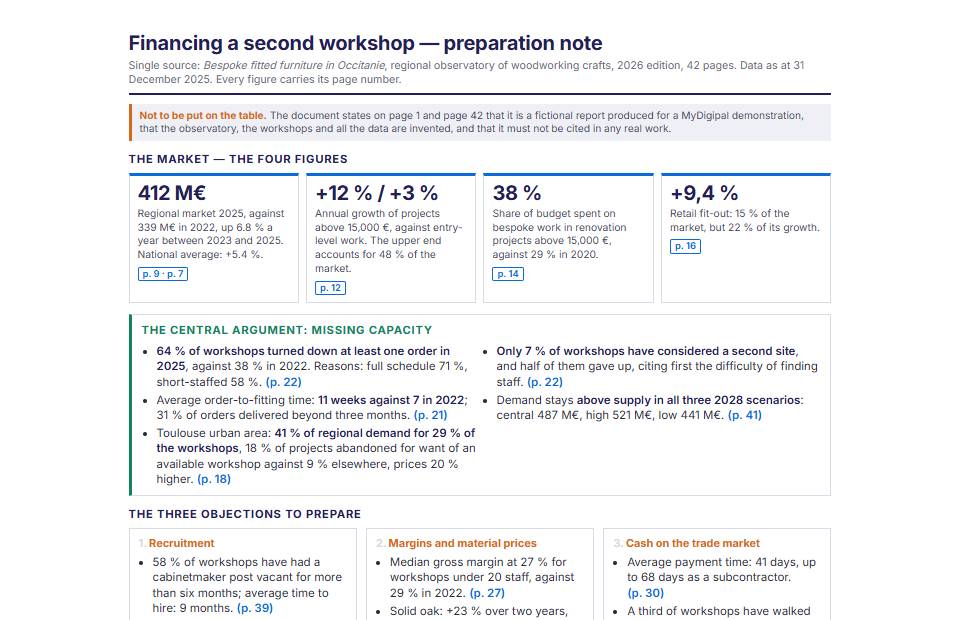
Three reports dropped into a project, one page back saying what changed and what has to be decided.

02

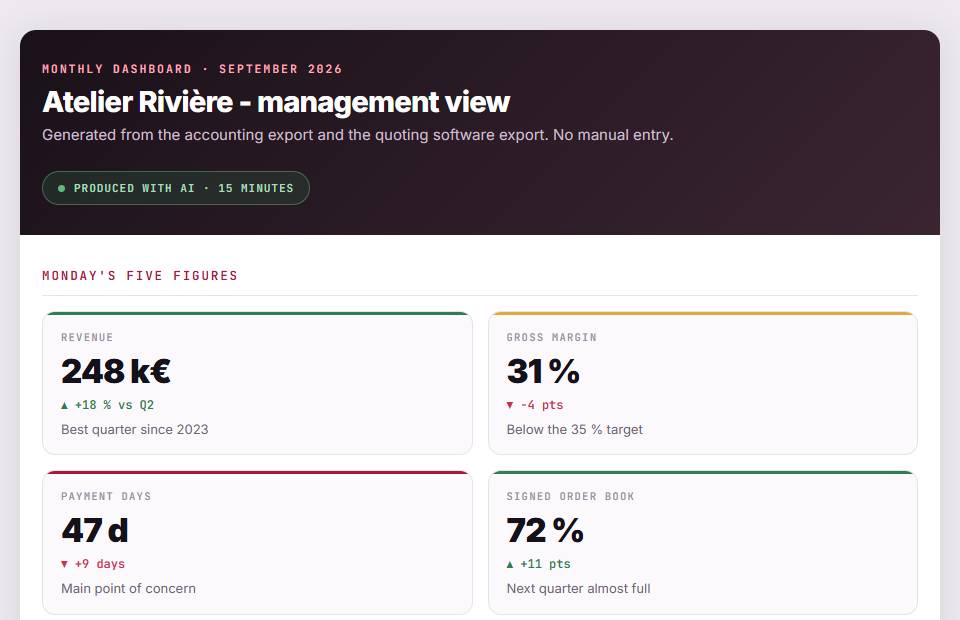
A dashboard you can read

A raw export in, a dashboard on screen out, adjusted by asking rather than by rebuilding.

03

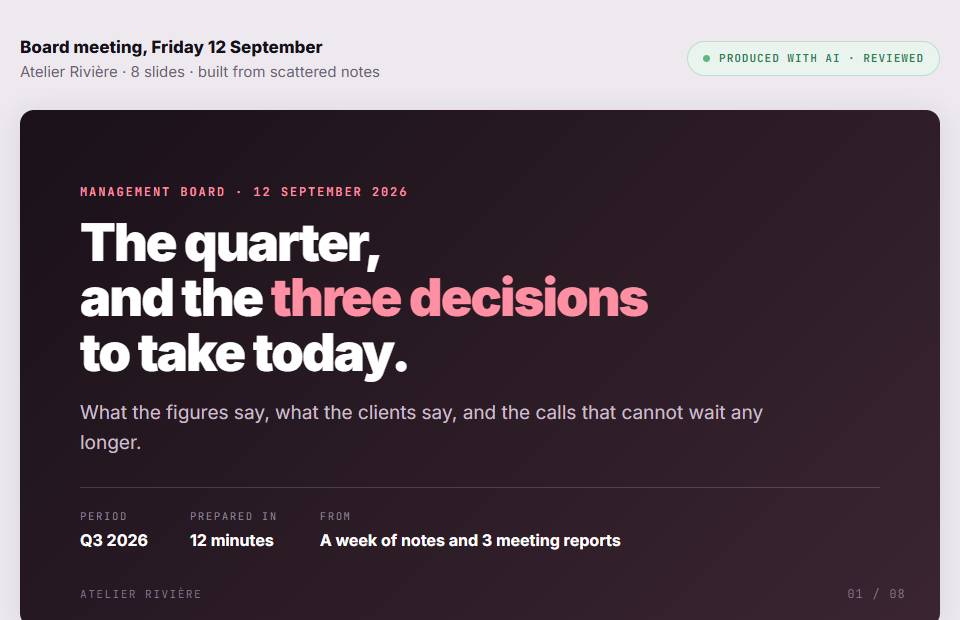
A deck, built

The brief, the outline, then the slides. You keep hold of the argument, not the formatting.

04

A client project that remembers

Their documents, their tone, their constraints. You open it, you ask, and it already knows what you are talking about.

05

A Friday briefing

A scheduled task that reads, sorts and hands you a summary while you do something else.

06

The right tool at the right moment

A way of choosing between Claude, ChatGPT, Copilot and Gemini that does not expire at the next release.

The method, applied to Claude

The same request, written twice

What the course changes sits in this gap. Five parts to put into a request: context, role, action, format, tone.

What most people type

YouSummarise these documents for me.

Here is a summary of the documents provided. The first presents the quarterly results, the second details the actions taken, the third revisits the annual objectives. Overall performance is mixed and several levers could be activated.

The same one, once the method is learned

You

The Claude path

The 8 lessons of the module

They come after the prompting method and before the automations. You choose one tool, and the path keeps only that one.

  1. 01 Where Claude lives, and which door to use for which job
  2. 02 Claude Projects: context and memory
  3. 03 Artifacts: what Claude produces on screen
  4. 04 Producing a document and a polished synthesis
  5. 05 Producing a dashboard and handling data
  6. 06 Producing a presentation
  7. 07 Claude Code: a first look
  8. 08 When to choose Claude: the decision method

Honestly

What Claude does better, and where it struggles

A course that only praises its tool is worthless on the day the tool lets you down.

Where it leads

  • Long documents: sixty pages read without losing the thread of page one.
  • Artifacts: you leave with a deliverable, not a block of text to paste elsewhere.
  • Connectors and MCP: this is the tool that reaches furthest into your own data.
  • The written tone: fewer superlatives, fewer bullet lists nobody asked for.

Where it struggles

  • It does not generate images. For a visual you go elsewhere, and the course says so.
  • Less common in large companies: your IT team probably knows Copilot better.
  • The free tier runs out quickly once you work seriously.
  • Connecting a tool means understanding what you are authorising, which is a lesson in itself.

It may not be your tool

The path is chosen at the fourth module, and it can be changed. If you already spend the day inside another suite, start there.

The full programme

Claude is one stage, not the whole course

What you buy is a course on using artificial intelligence at work. Claude is its practical way in.

Getting started

Understand what you are handling, learn the method, and open the tool you already have.

  • Welcome and diagnostic
  • Understanding generative AI
  • The prompting method
  • Copilot, Gemini, Claude, ChatGPT (one of four) you are here
Getting good

Go further in the request, judge what comes out, protect your data, and do your real work with it.

  • Advanced prompting
  • Judging an answer
  • Your data and the rules of use
  • Writing, translating, summarising
  • Beyond text: image, video, audio
  • Business use cases
  • Figures and spreadsheets
  • Meetings, minutes and messages
  • Serious research and monitoring
  • Presenting and convincing
Putting it to work

Plug AI into your tools with an MCP server, build chains that run without you, and frame the team that uses them.

  • Agents and automations
  • Building your MCP base
  • Advanced use cases
  • The foundation: making it last
  • Managing a team that uses AI
  • Putting it to work

Pricing

One course, two months of access

The full path, your tool included, the assistant that answers while you learn, and the certificate at the end. Nothing is billed monthly.

You can add the automations later, without paying twice for what you already have.

The method

290 €

  • 78 lessons, 7h 52min
  • The Claude path, 8 lessons
  • 18 exercises reviewed
  • 60 days of access
Start now

amounts read from the application

Questions

What people ask us about the Claude course

Do I need a paid Claude subscription to follow the course? +

Not to begin with. The first lessons work on Anthropic's free tier. Projects, connectors and scheduled tasks need a paid plan with Anthropic, which we do not sell and which does not go through us. The course says exactly when that becomes necessary.

What if my company runs on Copilot rather than Claude? +

The method is the same across the four tools, and the method is what matters. The tool path can be swapped whenever you like: you follow the Copilot one instead, and nothing else in your course changes.

How much time does it take? +

Around seven to eight hours of reading and exercises across the path, spread however you like over your access period. Most learners do one lesson a morning, over about thirty days.

Is this online or in a classroom? +

Online, at your own pace, with exercises reviewed by a human. If you want a live session, in a room or remote, for a whole team, that is a different offer and we run those too.

Is there a certificate? +

Yes, a named certificate at the end of the path, listing the areas covered and the volume actually completed. It is not a diploma and we do not pretend otherwise.