
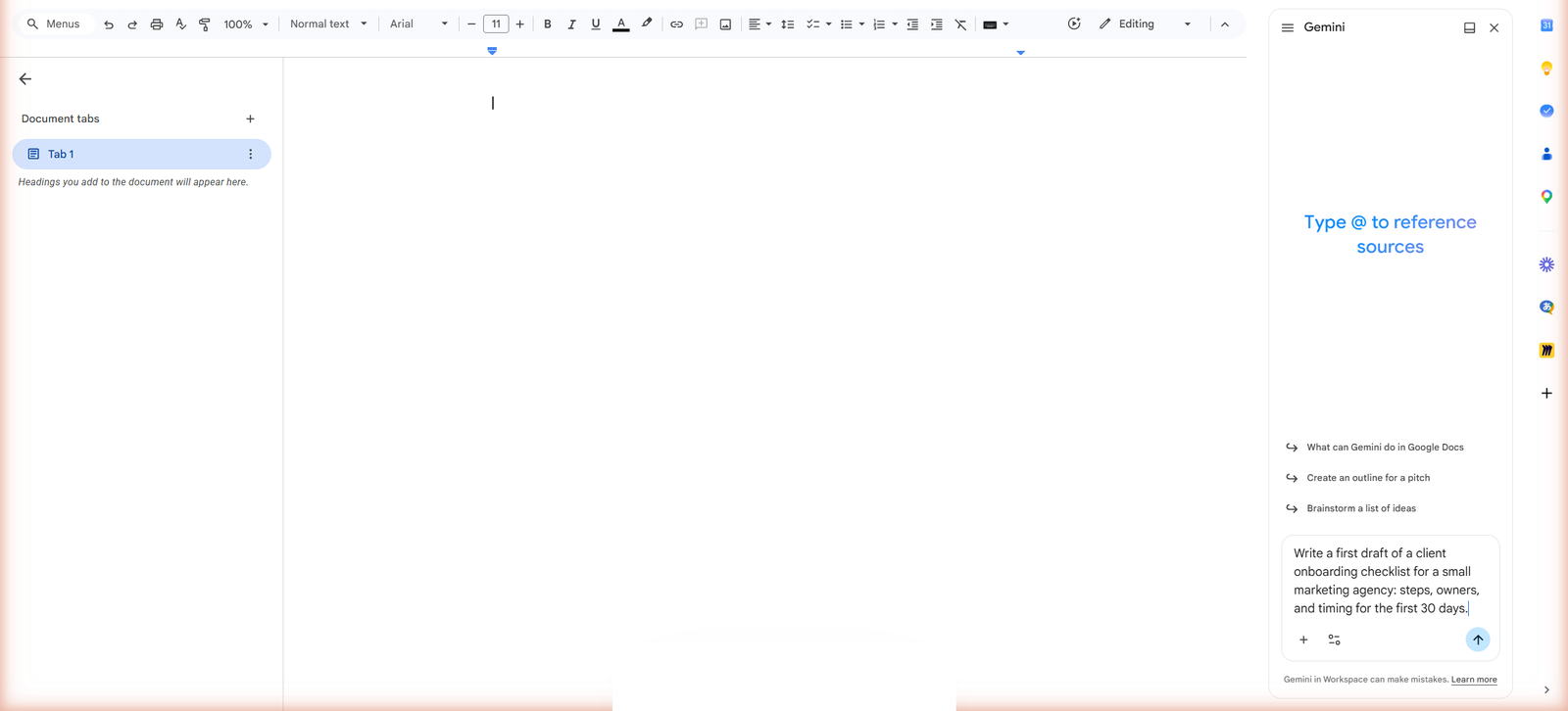
YouSummarise this table for me.
This table shows sales data by region and by quarter. Performance varies across geographies, with contrasting results. Some regions are growing while others are declining.
Gemini training - Google Workspace
The prompting method first, then the Gemini path, then the automations that run without you. Online, at your own pace.
What you learn to drive
Three doors into Google Workspace, two of which almost nobody opens even though the licence already pays for them.
Real documents
Four documents produced during a session, in front of the room, from one company’s own material. Open them: this is the kind of thing you will be handing over.
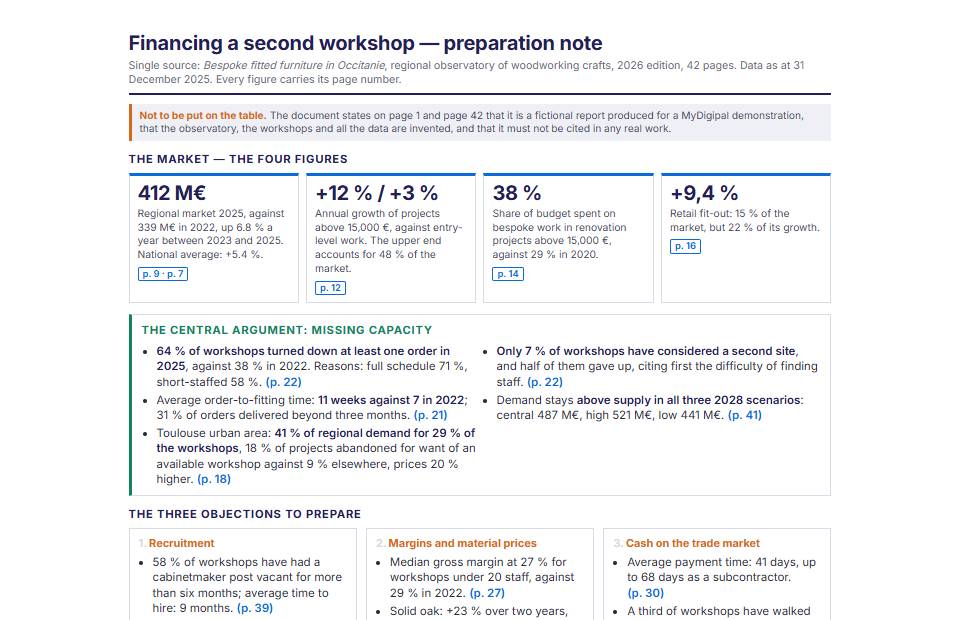
A forty-two page sector report in, a one-page briefing note out, with the source of every figure.
42 pages read, a note in five minutes
Open the document ->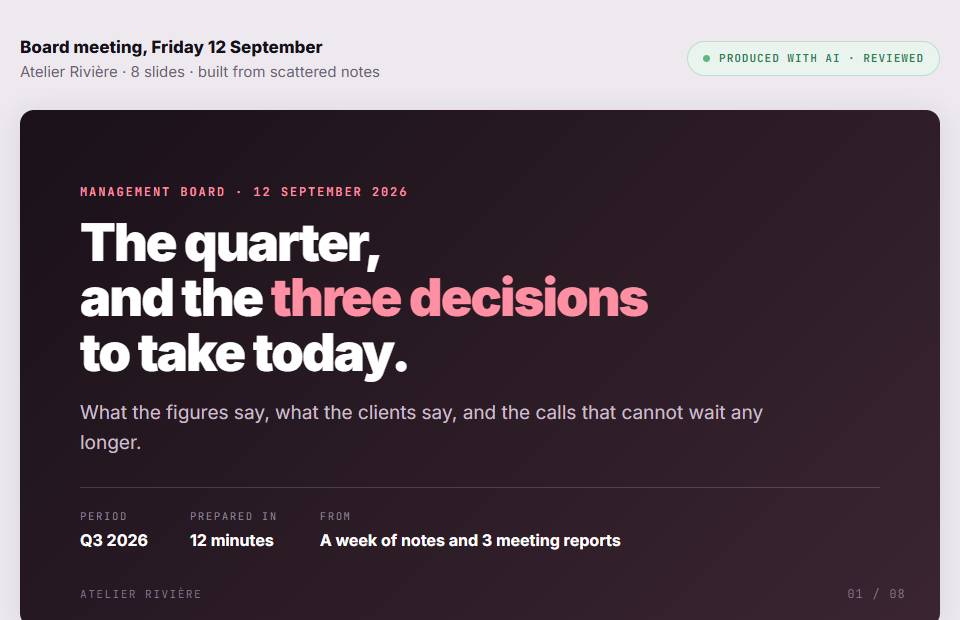
Scattered notes become eight slides and three decisions to take. One invented figure along the way, caught on review.
scattered notes, eight slides
Open the document ->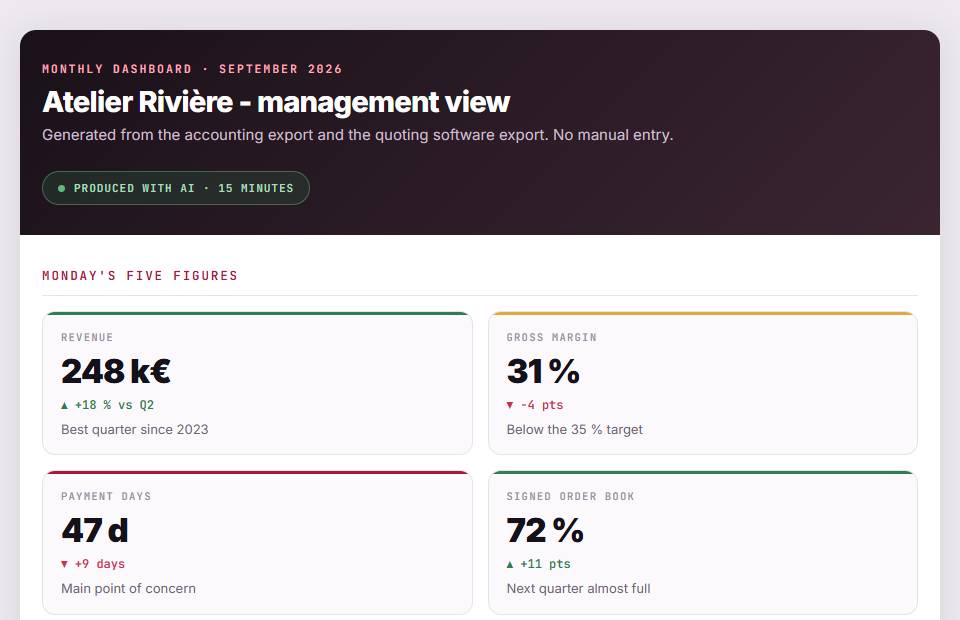
The accounting export and the quotes export, cross-checked into five figures that fit on one screen. No manual entry.
two raw exports, fifteen minutes
Open the document ->
Research on the buyer, more research in your own files, and a submission. Including a certification wrongly claimed, then corrected.
two searches, a full submission
Open the document ->The method, applied to Gemini
What the course changes sits in this gap. Five parts to put into a request: context, role, action, format, tone.
YouSummarise this table for me.
This table shows sales data by region and by quarter. Performance varies across geographies, with contrasting results. Some regions are growing while others are declining.
You
The Gemini path
They come after the prompting method and before the automations. You choose one tool, and the path keeps only that one.
Honestly
A course that only praises its tool is worthless on the day the tool lets you down.
The path is chosen at the fourth module, and it can be changed. If your company runs on Microsoft 365, start with Copilot.
The full programme
What you buy is a course on using artificial intelligence at work. Gemini is its way in if you live inside Google Workspace.
Understand what you are handling, learn the method, and open the tool you already have.
Go further in the request, judge what comes out, protect your data, and do your real work with it.
Plug AI into your tools with an MCP server, build chains that run without you, and frame the team that uses them.
Pricing
The full path, your tool included, the assistant that answers while you learn, and the certificate at the end. Nothing is billed monthly.
You can add the automations later, without paying twice for what you already have.
The method
290 €
amounts read from the application
Questions
For the lessons on Docs, Sheets, Slides, Gmail and Drive, yes: those are business suite features. Deep research and NotebookLM work with an ordinary Google account. The course says what each lesson needs, and we sell no Google licences.
Rarely for daily work: the point of Gemini is being inside your documents, and your documents are elsewhere. NotebookLM and deep research, on the other hand, stand on their own and have no Microsoft equivalent. If the rest of your day happens in Microsoft 365, take the Copilot path instead.
Around 8h 40min of reading and exercises across the path, spread however you like over your access period. Most learners do one lesson a morning, over about thirty days.
Online, at your own pace, with exercises reviewed by a human. If you want a live session, in a room or remote, for a whole team, that is a different offer and we run those too.
Yes, a named certificate at the end of the path, listing the areas covered and the volume actually completed. It is not a diploma and we do not pretend otherwise.